



IT-Solutions
The increasing adoption of computer-based processes and IT infrastructure in the broadcast sector calls for innovative system solutions and new workflows. Thanks to our bespoke end-to-end solutions, you can focus entirely on what matters most: the content.
WEBSTER – THE ONLINE LOGGING TOOL
Our innovation in the field of content management systems and logging is called Webster. This browser-based application allows you to conveniently view, log, sort, tag and search your material from anywhere in the world with internet access – whether from a desktop or a mobile phone. Even in large-scale projects involving many hours of raw footage, you’ll never lose track of things.
And if you’re ever unable to be on set for the recording of your programme, simply follow the action via a private live stream.
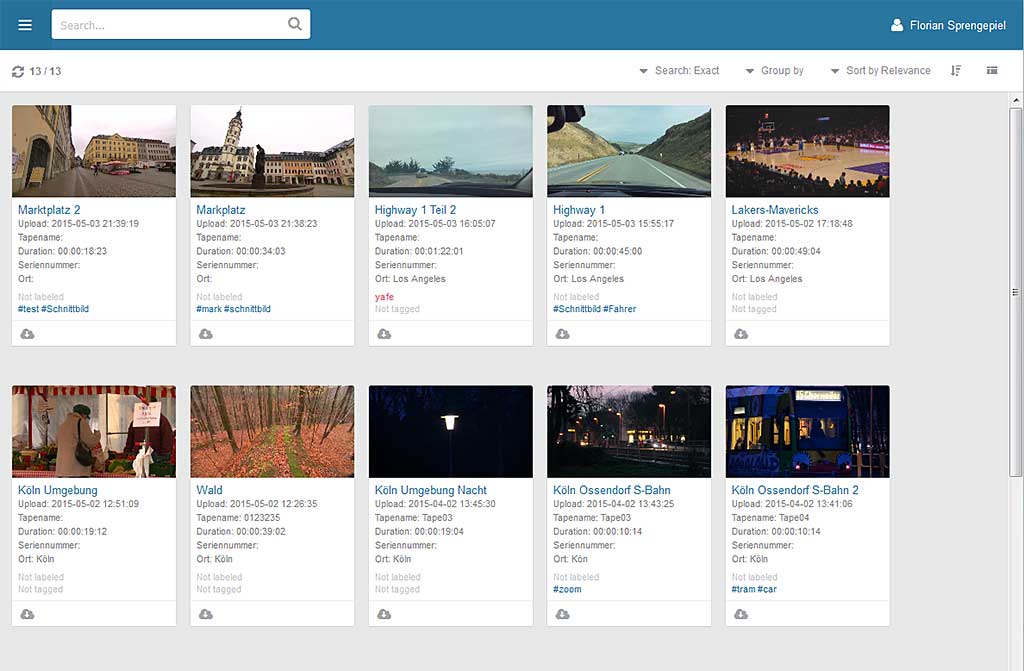
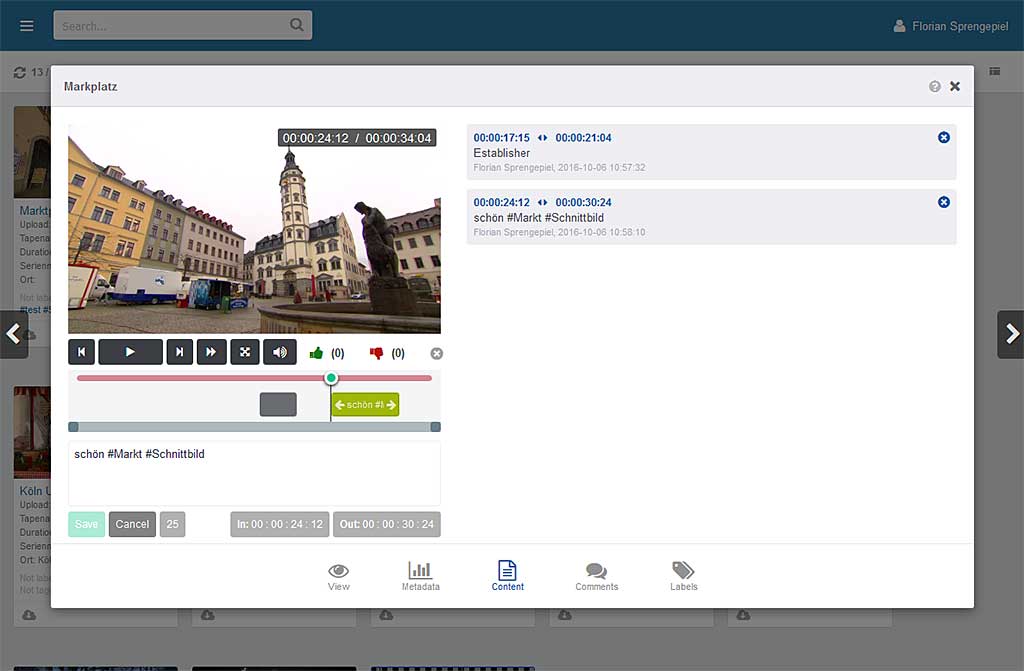
Webster – the Online-Logging-Tool
LOGSTER – EASY-TO-USE LOGGING ON THE iPAD
With our live-logging app, Logster, you can tag your media project easily and intuitively whilst the recording is in progress. Customisable buttons, input fields and comment boxes are available for creating log notes, ensuring the app is as efficient to use as possible. All entries made can then be exported in various formats or sent to our content management tool, Webster. This allows you to conveniently search online through all content for keywords or free text in any log notes, jump directly to that point in the material and view it.
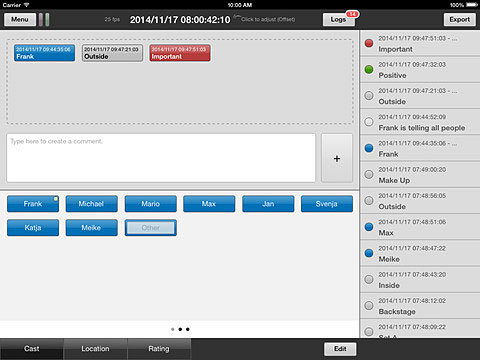
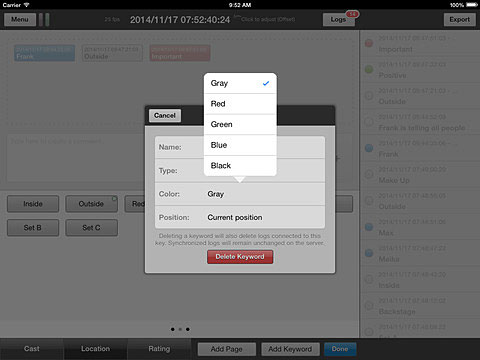
Logster – Easy-to-use-Logging on the iPad
TOUCH PLAYOUT – ONE CLICK TO PLAY
Our Touch Playout system enables presenters and hosts to feed still images, video and audio files into the live broadcast using simple touch gestures. The system is controlled directly from the studio using either wired or wireless tablets.
It is also possible to send control signals to other devices in parallel with the playout; for example, to switch the video mixer or trigger lighting changes when a clip starts.
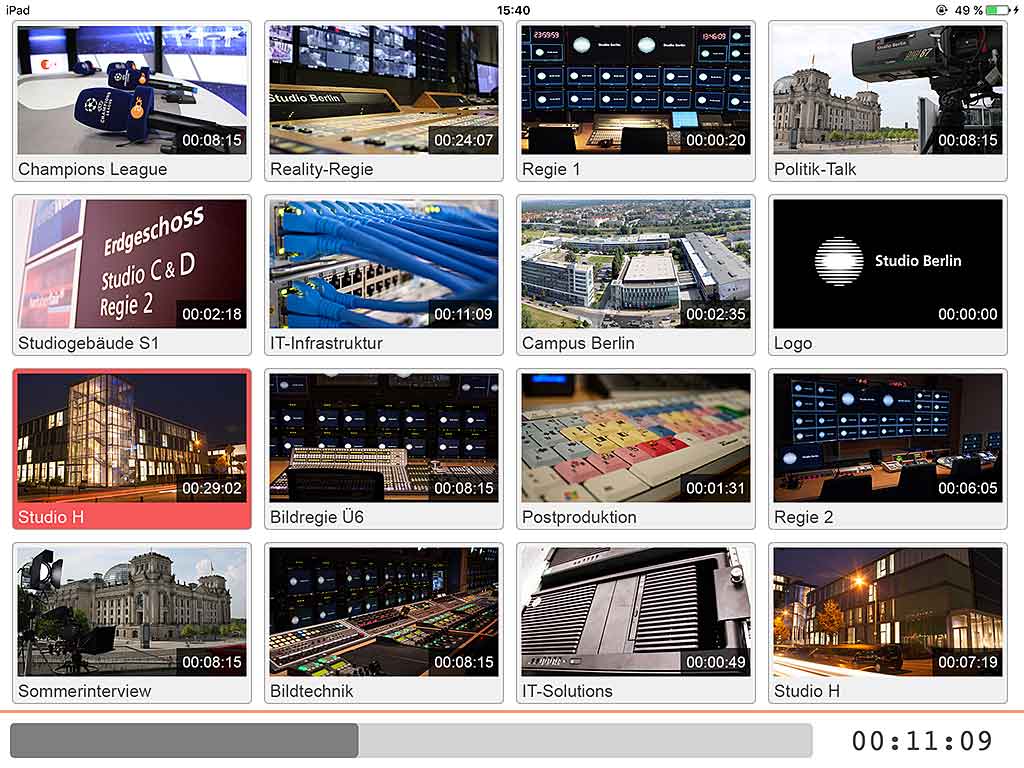
Touch Playout – One Click to Play
24/7 CAPTURE WORKFLOW – AUTOMATED AND SPECIALISED
Programme formats with long recording times require efficient and highly automated workflows. Our in-house developed capture servers record in XDCAM HD422 or DNxHD120/185 in MXF OP Atom files, meaning there is no need to import the footage into Avid. Chunk files of any length are generated and, if required, transferred fully automatically to the editing server or stored on backup systems.
Proxy files are generated in parallel with the recording; these are uploaded to our editorial tool, Webster, and can be viewed and tagged immediately from any location with an internet connection.
